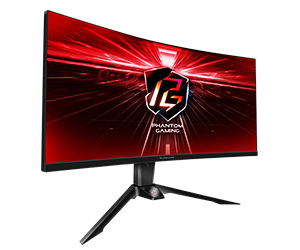
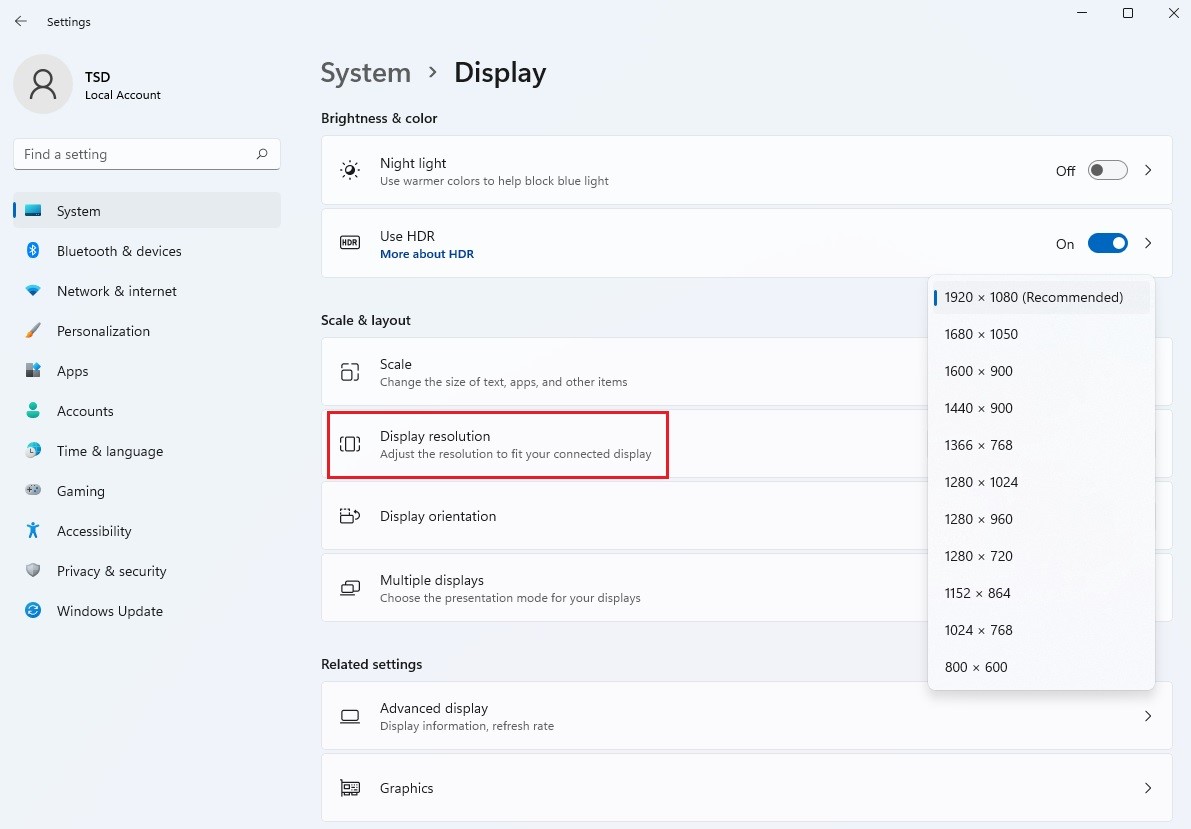
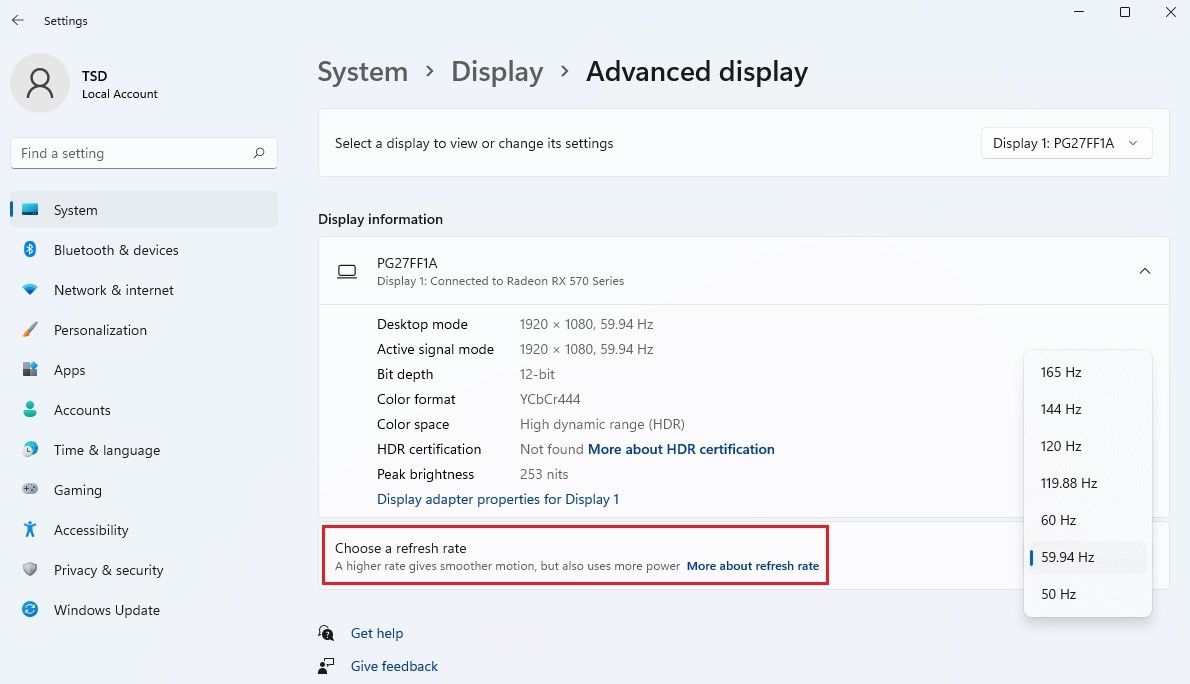
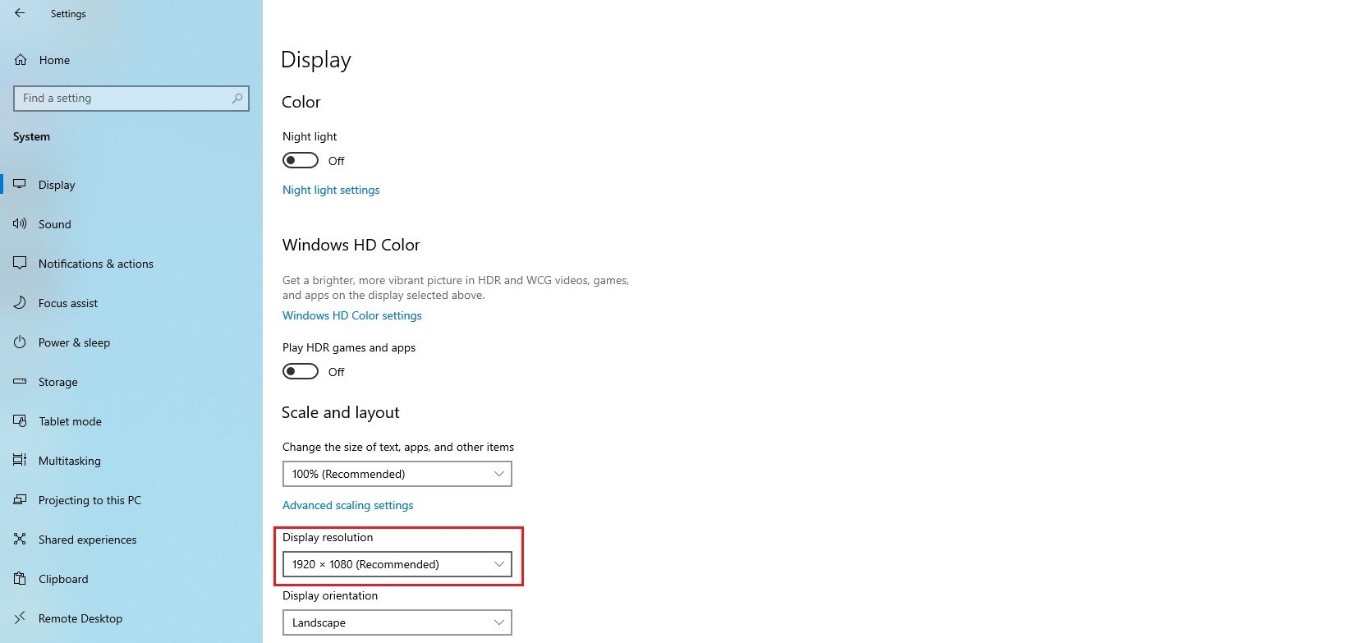
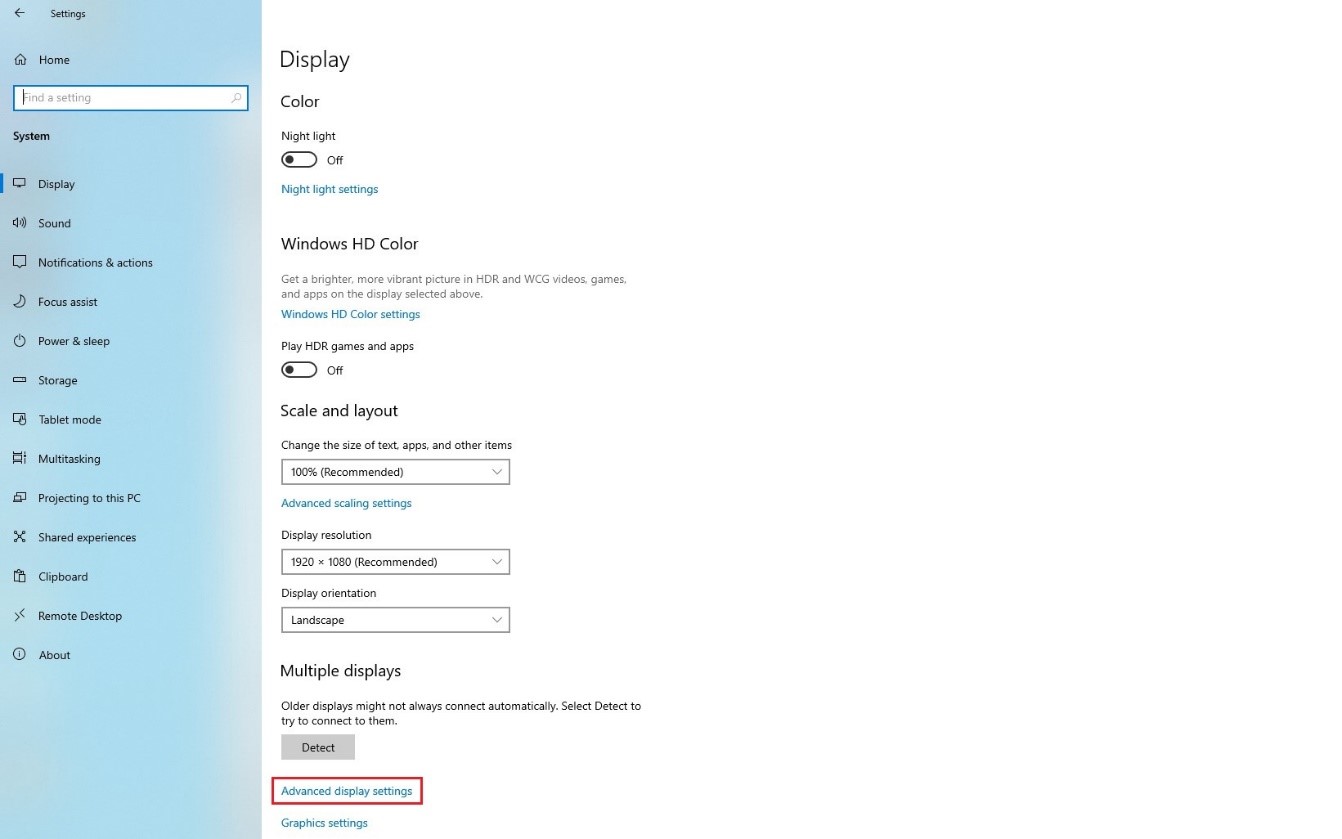
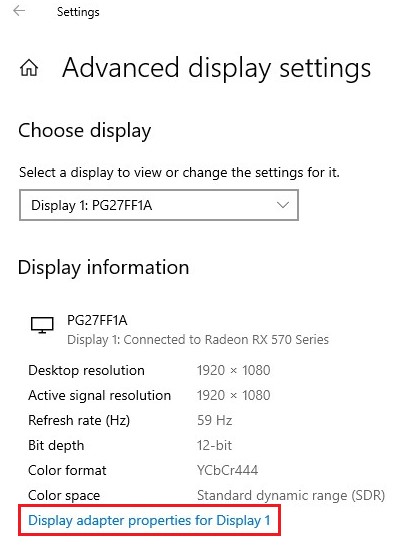
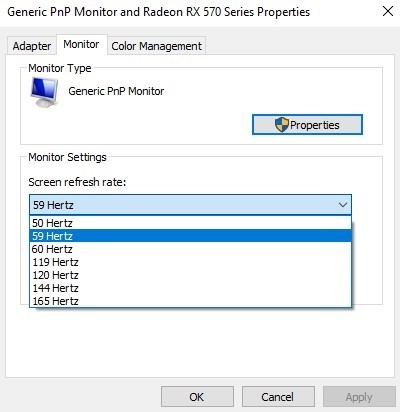
問題: How to adjust the frequency and resolution of the monitor?(2022/8/9) 回答: Settings under Windows 11: 1) Go to Settings> System> Display to adjust the resolution of your monitor. 2) Now go to Advanced display to adjust the frequency (refresh rate) of your monitor. Settings under Windows 10: 1. Go to Settings> System> Display to adjust the resolution of your monitor. 2. Now go to Advanced display settings to adjust the frequency (refresh rate) of your monitor.
 Menu
Menu